 Mic Test
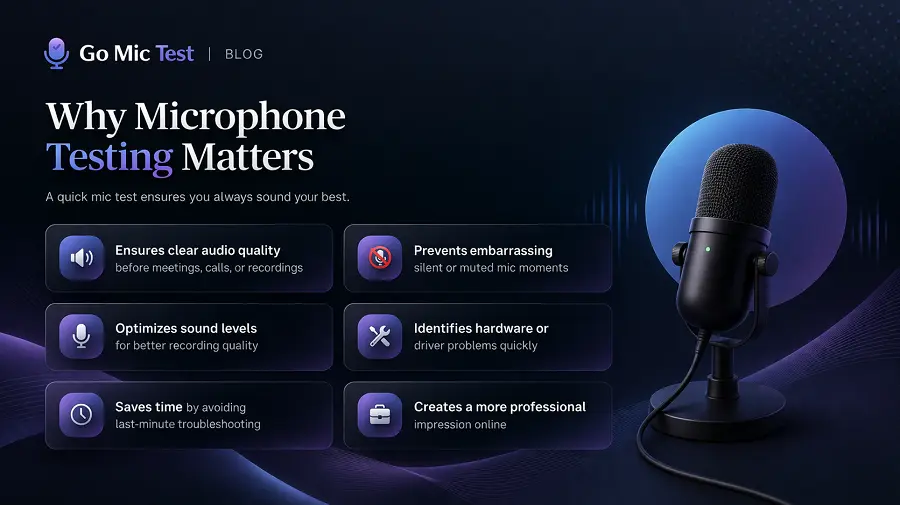
Why Microphone Testing Matters
Test of microphone might seem like a small step but it plays a huge role in achieving professional sound quality. Whether you're recording vocals, live streaming or setting up for a concert mic testing ensures your microphone performs at its best. A quick mic check before you start can make the difference between a crisp clear recording and one filled with distortion or background noise.
🔍 What a Mic Test Actually Checks
A microphone test does more than confirm whether sound is coming through. It runs a series of checks that cover signal detection, device selection, access permissions and audio playback. Each of these checks targets a specific point in the signal chain where problems commonly occur. Understanding what a mic test evaluates helps you fix issues faster when something goes wrong.
Signal Detection
The first thing a mic test checks is whether your microphone is sending an audio signal to your device. The test captures live input and displays it through a real-time waveform or level meter on screen. If the waveform stays flat while you speak then your microphone is either disconnected or blocked at the system level. This visual feedback tells you within seconds whether your microphone is active and responding to your voice.
Input Device Selection
Most computers have more than one audio input available at the same time. A laptop may have a built-in microphone along with a connected USB headset or Bluetooth device. A mic test helps you verify which input device your system is currently using for audio capture. If the wrong input device is selected then your voice will not be captured even if the microphone itself is working perfectly.
Permissions and Access
Browsers like Chrome, Firefox and Edge require explicit permission before any website can access your microphone. Windows 10 and Windows 11 also have system-level privacy settings that control microphone access for all applications. A mic test checks whether access is granted at both levels so you know exactly where the block is happening. If microphone permission is blocked then the test will show no input activity at all.
Playback and Monitoring
Some mic tests offer playback or loopback features that let you hear your own voice through speakers or headphones. This goes beyond signal detection because it lets you judge your actual sound quality including tone and clarity. You can catch issues like low volume, muffled speech or excessive background noise that a simple level meter might not reveal. Playback monitoring is especially useful for podcast recording, voiceover work and interview preparation.
Spot Problems Early
Some of the factors such as humidity, temperature, and the acoustics of your space can influence how a mic captures sound. Regular microphone test online or in-house helps you spot these differences early, saving time and frustration during production or performance. Testing allows you to identify common problems like weak signals, distortion or uneven sound pickup before they affect your final output. Simple frequency and sensitivity checks help verify that your microphone is reproducing sound accurately.
⚠️ The Hidden Problems a Quick Mic Check Can Catch
Many microphone issues are not obvious until you are already in a meeting or recording session. A pre-call mic test catches these hidden problems before they cause real damage to your audio. Below are the most common issues that a quick microphone check can reveal in seconds.
Muted or Blocked Microphone
A muted microphone is one of the most overlooked reasons for failed audio during calls and recordings. Muting can happen through a keyboard shortcut, a physical button on your headset or a system setting change without you noticing. A quick mic check shows immediately whether audio is reaching your device or staying silent. This one step alone can save you from joining a Zoom meeting or Google Meet session with no voice output.
Wrong Default Input
When multiple audio devices are connected your operating system picks one as the default input. If Windows selects your laptop microphone instead of your USB headset then your voice will not reach the application you are using. A mic test confirms which device is actively receiving sound and whether it matches the microphone you intend to use. Checking this before every important call prevents those embarrassing moments of talking with no one hearing you.
Low Gain or Distorted Audio
Sometimes your microphone works but the input level is set too low or too high. Low gain makes your voice barely audible to listeners while excessive gain causes clipping and harsh distortion. A mic test with a level meter or audio visualizer helps you spot these gain staging problems before they affect your recording. Adjusting the input level or microphone boost in your system sound settings usually resolves this within seconds.
Background Noise and Echo
A working microphone can still pick up unwanted sounds from your environment. Fan noise, keyboard clicks, traffic and room echo all reduce audio clarity for your listeners. A mic test lets you hear your environment through your microphone so you know what your audience will actually hear. Simple changes like moving to a quieter room or enabling noise suppression software can make a dramatic difference in how clean your audio sounds.
Driver and Browser Conflicts
Outdated audio drivers or unsupported browsers can prevent your microphone from working on certain websites. Your mic may function normally in Discord but fail completely in a browser-based tool because of a software conflict. A browser-based mic test quickly confirms whether your current setup supports microphone access through the Web Audio API. If the test fails in one browser but works in Chrome or Edge then the issue is compatibility rather than hardware.
Quality Control and Calibration
Calibrating microphones ensures consistent performance across multiple devices, especially in setups that use several mics simultaneously. This consistency is vital for studio recording, film production, and live events, where even minor differences can affect the overall mix. Taking a few minutes to properly adjust your microphone settings and test its sound can significantly improve microphone quality guarantees that your audience hears you loud, clear and distortion-free every time. Consistent testing means consistent performance which is key to professional and reliable audio.
🤝 Why Good Audio Affects Trust, Clarity and Professionalism
Your voice is your first impression in any virtual interaction. Crackling audio, echo or a muffled voice makes listeners question your credibility even when your content is excellent. In professional settings like job interviews, client calls and webinars poor audio distracts from your message and reduces engagement. When your microphone delivers clean and balanced sound your audience stays focused on what you are saying rather than struggling to hear it.
Audio quality also reflects your level of preparation. A pre-meeting audio check shows that you take the conversation seriously and respect your audience's time. Platforms like Zoom, Microsoft Teams and Google Meet all provide test call features for this exact reason. Taking two minutes to verify your mic before going live demonstrates professionalism that people notice and appreciate.
🎯 Who Needs Microphone Testing and Why
Microphone testing is not limited to content creators or audio engineers. Remote workers who rely on Microsoft Teams or Zoom calls need clear audio to communicate effectively with colleagues and clients. Teachers conducting online classes depend on reliable mic quality so students can follow lessons without straining to hear. Customer support agents using headsets need consistent audio for every interaction throughout their entire shift.
Gamers often skip mic testing even though team communication is essential in multiplayer games. A quick mic check in Discord or in-game voice chat confirms that your gaming headset is working as expected before the match starts. Podcasters and live streamers have even higher stakes because their entire output depends on audio quality. Whether you are a creator, a professional or a casual user a simple microphone test before you start prevents avoidable technical problems.
🏠 Why Environment and Mic Technique Change Your Results
Your microphone captures everything in your space and not just your voice. A condenser microphone in a room with hard walls and no soft furnishings will pick up echo and reverb that degrades your audio. A dynamic microphone positioned too far from your mouth will struggle to capture your voice clearly above ambient noise. Room acoustics and mic positioning directly influence your test results and your final audio output.
Speaking distance and microphone orientation also play a role in audio clarity. Keeping your mic 6 to 12 inches from your mouth and speaking slightly off-axis helps reduce plosives on words that start with P or B. Using a pop filter or windscreen further softens harsh consonant sounds. For detailed guidance on positioning and setup adjustments read our guide on how to improve microphone quality for better recordings and calls.
🎚️ How to Test Microphone Quality Not Just Function
Most people run a mic test only to confirm that sound is being detected. But signal detection alone does not tell you how your voice actually sounds to other people. A thorough microphone test checks input level, background noise and audio clarity together in one session. Listening to a recorded sample or using playback monitoring helps you evaluate the real quality of your voice.
Pay attention to the signal-to-noise ratio during your test. Your voice should be clearly louder than any background hum or ambient noise in the recording. If background sounds compete with your voice then you need to adjust gain staging or improve your recording environment. Testing quality rather than just function ensures that your audio is pleasant and professional for every listener on the other end.
🌐 Why Browser-Based Microphone Tests Are Useful and Privacy-Friendly
Browser-based mic tests work directly in Chrome, Firefox, Edge or Safari without any software download or installation. You open the page and click one button to start testing your microphone instantly. There is no application to install, no account to register and no setup to configure. This makes browser-based tools the fastest and most convenient way to check your microphone on Windows, macOS, Linux, iOS or Android.
Privacy is another strong advantage of browser-based testing. Reputable mic test websites process your audio locally using the Web Audio API which means your voice data never leaves your device. No recordings are stored on any server and no audio is uploaded or shared. This local processing approach keeps your microphone test completely safe and private every single time you use it.
Ready to put this into practice? Use our Mic Test Tool to check your microphone and ensure accurate sound before you start.
Test Your Microphone